
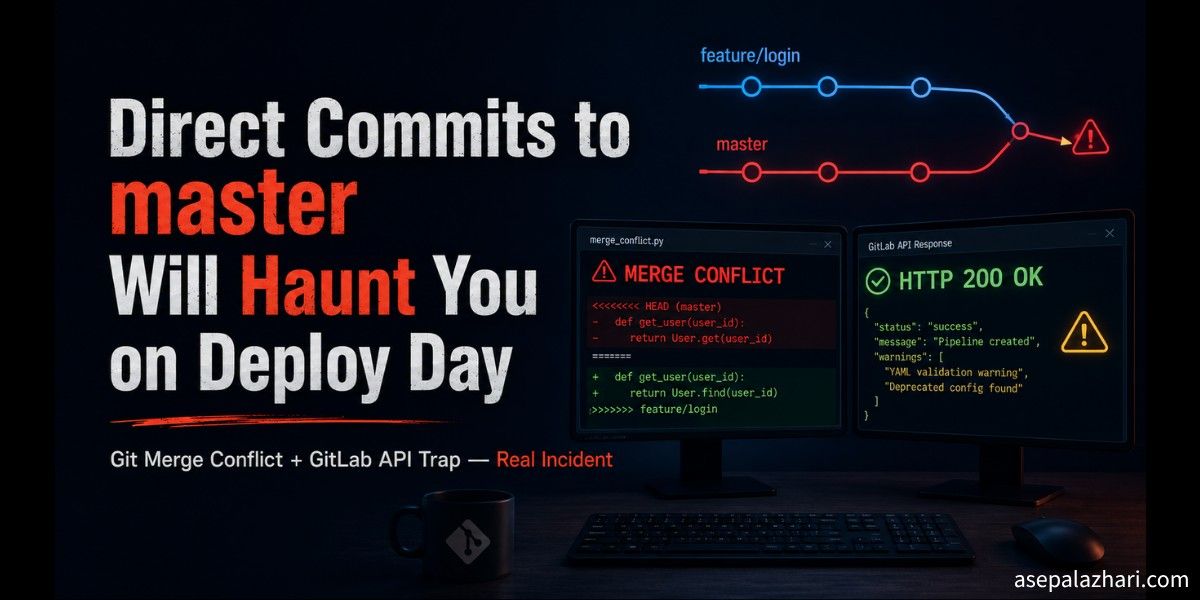
Direct Commits to master Will Haunt You on Deploy Day
A Swagger refactor committed straight to master caused a 3-way merge conflict and a silent GitLab API failure on deploy day. Learn the rule that prevents it.
The Deploy That Should Have Been Five Minutes
It was a Monday morning. Three merge requests were queued: release to master across api-service, auth-service, and web-app. A routine production deploy. The kind that usually takes five minutes.
Then the first MR flagged conflicts, and suddenly I was reading git history trying to figure out who committed a Swagger refactor directly to master two weeks ago.
This is that story. I will walk through the conflict, the three failed fix attempts, the GitLab API trap that silently rejected every write without surfacing an error, and the workaround that finally got us unblocked. At the end there is one rule that would have prevented all of it.
The Setup: Three Repos, One Problem
On 2026-05-19 we merged release into master for three repositories:
| Repository | MR | Result |
|---|---|---|
api-service | !18 | Merged (with conflict resolution) |
auth-service | !3 | Merged cleanly |
web-app | !34 | Merged cleanly |
The clean ones were straightforward. The api-service was the problem, and understanding why it conflicted reveals something most teams only learn the hard way.
Why the Conflict Happened: The 3-Way Merge Problem
Before the merge, api-service branches looked like this:
releasewas 1 commit ahead ofmastermasterwas 11 commits ahead ofrelease(diverged history)
That divergence is the root cause. Eleven commits had accumulated on master that were never backported to release. Among them was a large Swagger refactor (f46ba777) that was committed directly to master:
[f46ba777] refactor: migrate Swagger @ApiProperty types to lazy syntax across all modules
[13f2cb5f] fix: resolve Swagger startup crash caused by null-typed data property
These two were direct commits to master, not merges from release. When the next release commit (b33a1a33) also touched catalog.items.controller.ts to update an @ApiOperation summary, git ran into a problem:
Base state (common ancestor):
  @ApiResponse({ ..., type: CatalogItem... })

master changed (f46ba777):
  type: CatalogItem...  →  type: () => CatalogItem...  ← lazy syntax

release changed (b33a1a33):
  summary: 'Get catalog items from external API'
  → summary: 'Get catalog items with extra details'
Both branches independently modified the same block. Git has no way to know which version of type: to keep, so it raises a conflict. This is called a 3-way merge: git compares the common ancestor, the release tip, and the master tip. If two tips both changed the same lines from the same ancestor, automated resolution is impossible.
The rule that prevents this is simple and absolute:
All changes — including hotfixes — must flow through release first.

Correct:  feature → release → master
Incorrect: feature → master (direct)
When master only ever receives commits via merge from release, every merge is a fast-forward and conflicts become structurally impossible.
Three Failed Attempts Before the Solution
Once the conflict was identified, we tried the obvious paths first.
Also Read: Fix Git Pull Error: Resolve Unstaged Changes with git stash
Attempt 1: Sync MR (master to release)
Created MR !17 to backport master’s changes into release. It also conflicted immediately. Closed it.
Attempt 2: Rebase via API
Tried PUT /merge_requests/:iid/rebase on the GitLab API. Got HTTP 411 — Content-Length required. The endpoint rejected the request outright.
Attempt 3: Direct File Patch on release (The Tricky One)
This is where things got quietly deceptive. I used GitLab’s Files API to patch the conflicting lines directly on the release branch:
PUT /projects/:id/repository/files/:file_pathThe API returned HTTP 200 OK on every single call. The response body looked successful. But when I fetched the release branch HEAD afterward, it had not moved. The commit was not there.
What was happening: release is a protected branch. GitLab’s Files API silently rejected the write because of branch protection rules. It still returned a 200. No error, no warning, no indication in the response that the change was discarded.
This is a genuine GitLab API trap. If you are writing to a protected branch via API, always re-fetch the branch after the write and verify the HEAD moved. A 200 response is not a guarantee that anything changed.
The Solution: Temporary Branch Surgery
The working approach was straightforward once we stopped trying to fix the protected branch directly.
- Created a new unprotected branch
merge/release-to-masterfrommaster - Manually constructed the merged state for each conflicting file:
- Kept
master’s lazytype: () =>Swagger syntax (correct) - Applied
release’s updated@ApiOperationsummary and description on top - Took
release’s versions for non-conflicting files:CHANGELOG.md,package.json,app.module.ts - Added all 6 new
endpoint-catalogfiles fromrelease
- Kept
- Pushed all 12 files as a single commit via GitLab’s Commits API
POST /projects/:id/repository/commitsWith the merged commit pushed to the unprotected branch, a new MR was created: merge/release-to-master to master. The conflict check came back clean.
Also Read: GitLab CI/CD Dynamic Variables: Dev, Staging & Production Config Guide [2026]
The Pipeline Failure That Was Not Actually a Failure
Pipeline #55045 on merge/release-to-master immediately failed with:
ERROR: Invalid branch: merge/release-to-master.
Only release, master, and develop are allowed.
This is expected behavior. Our deploy script (deploy.sh) only triggers deployments from named environment branches. The pipeline failure here means the code was not deployed from the temporary branch. That is correct. The release pipeline (#55033) had already passed on the same code.
When you see this kind of error, check whether it is a code problem or a pipeline configuration restriction. In this case it was purely the latter.
The Quick Ones: auth-service and web-app
Once api-service was resolved, the other two went smoothly.
For auth-service, master’s 3 diverged commits were all merge commits and CI configuration updates. None of them touched the same files as release’s JWT payload commit. MR !3 merged cleanly.
For web-app, master had one direct code commit (1bc9adb8) touching 20 files. A file overlap check confirmed zero overlap with the 21 files in release’s 4 commits. MR !34 merged cleanly.
By 11:57, all three repos were in production.
What We Shipped
Across three repositories, the production deploy delivered:
EndpointCatalogModule: 50+ endpoint registry with freshness status (fresh,stale,critical,unknown,error) and optional HTTP probe with 5-minute cache- JWT roles embedded directly in the token payload (no extra database lookup per request)
- Unlimited token users now configurable via environment variable
- Endpoint catalog admin page with KPI cards, endpoint filter, status table, and HTTP probe panel
- CSRF retry logic fixed to skip re-attempts on role-based 403 responses
The One Rule That Prevents All of This
The entire 30-minute detour happened because of one violation: committing directly to master.
When master has independent commits that release does not have, every future release merge becomes a potential conflict. The longer that divergence grows, the more likely the next merge hits a line overlap.
release:  A → B → C → D
master:   A → B → E → F    ← independent commits = conflict risk

vs.

release:  A → B → C → D
master:   A → B → C → D    ← fast-forward only = no conflicts
Enforce this at the GitLab level: protect master, require all code to flow through release first. Your next deploy will be five minutes, not thirty.
Summary
A Swagger refactor committed directly to master caused a 3-way merge conflict that blocked our release deploy. Three fix attempts failed — including a GitLab API Files write that silently returned 200 OK while discarding the write because of branch protection. The solution was creating a temporary unprotected branch, manually constructing the merged state, and opening a clean MR from there. Total time: under 30 minutes. Prevention: never commit directly to master.