

Next.js Build Heap Out of Memory in CI: Exit 137 Fix
Next.js build heap out of memory in CI, then Killed with exit 137? Real job logs from a 4 GiB runner, 10 kills, and what moving the type check changed.
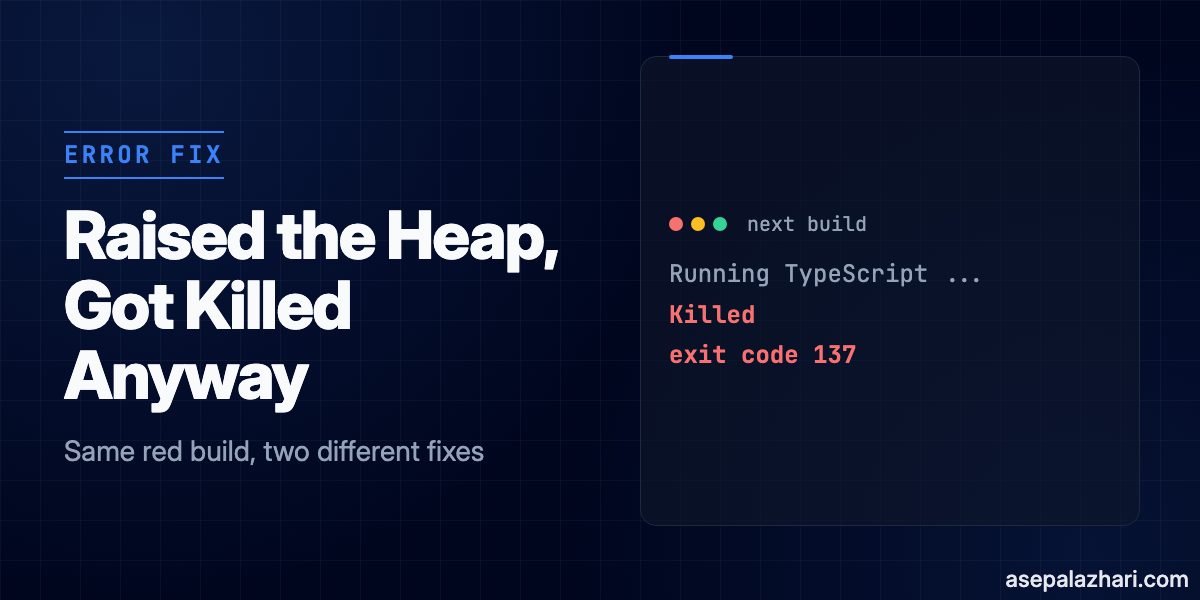
The usual advice for a Next.js heap out of memory error in CI is to raise --max-old-space-size. I did exactly that, and over the next four days the runner killed ten builds with exit code 137, nine of them at the same step.
The likely cause was the type check phase inside next build, which pushed the whole job container past its 4 GiB limit once the heap was allowed to grow. The fix I shipped was to run tsc --noEmit as its own job, skip the type check inside the build, and keep the separate job as a required gate before deploy. Below are the two log signatures that tell these failures apart, the config I used, and what my numbers prove and what they do not.
Heap Out of Memory and Exit 137 Are Different Failures
A V8 heap limit abort and a container OOM kill both turn next build red, but they have different owners and different fixes. Telling them apart takes about ten seconds once you know what each log looks like.
My setup was a dashboard-heavy Next.js 16.2.1 app, built with next build --webpack as a static export of 62 pages. The runner was a GitLab docker executor running one job at a time, on a 24 vCPU host with 16 GB of RAM shared with many other containers. Each job ran in a node:20-alpine container limited to 4 GiB, with pnpm 10.22.
The first failure came with no NODE_OPTIONS set at all.
✓ Compiled successfully in 4.4min
  Running TypeScript ...

[...] Mark-Compact (reduce) 1532.6 (1562.3) -> 1530.6 (1562.3) MB, 3740.44 / 0.00 ms
FATAL ERROR: Ineffective mark-compacts near heap limit Allocation failed - JavaScript heap out of memory

Next.js build worker exited with code: null and signal: SIGABRT
 ELIFECYCLE  Command failed with exit code 1.
ERROR: Job failed: exit code 1
Node killed itself here. The heap sat at about 1.5 GB and V8 gave up. Notice the exit code is 1, not 134. The child dies with SIGABRT, but Next.js and pnpm wrap it, so the job only sees a plain failure. The lines to search for are the FATAL ERROR message and SIGABRT.
The second failure looked like this.
✓ Compiled successfully in 3.2min
  Running TypeScript ...
Killed
ERROR: Job failed: exit code 137
No stack trace, no V8 message. Exit code 137 is 128 plus 9, which is SIGKILL, and the sender is the Linux kernel. On the runner host, the kernel log said so directly.
memory: usage 4194304kB, limit 4194304kB, failcnt 71638
oom-kill:constraint=CONSTRAINT_MEMCG,task=node
Memory cgroup out of memory: Killed process (node) total-vm:68433732kB, anon-rss:2929496kB
The limit is exactly 4 GiB. The total-vm figure is just V8 reserving address space, so ignore it. The number that matters is anon-rss, the memory the node process actually held, which was close to 2.9 GB.
| V8 heap limit | Container OOM kill | |
|---|---|---|
| Log signature | FATAL ERROR and JavaScript heap out of memory | A bare Killed line |
| Signal | SIGABRT | SIGKILL |
| Job exit code | 1, through pnpm | 137 |
| Who decided | Node | The kernel cgroup |
| Raise max-old-space-size | Helps | Can make it worse |
What Happened When I Raised the Heap
Raising the heap fixed the first failure and created the second. I set NODE_OPTIONS to --max-old-space-size=2560 in the build job, and the very same commit was then killed once and passed once, at 314 seconds and 500 seconds.
That is the trap with exit 137. A green retry makes it look fixed, and it is not.
Over the following four days, ten build jobs were killed with exit 137. Nine of the ten logs stop right after Running TypeScript ..., following a successful webpack compile of 2.7 to 3.6 minutes. The first memory cgroup kill in the host’s kernel log that day came about six minutes after the heap change. Each kill of the main node process showed it resident at 2.6 to 2.9 GB, which is roughly the 2560 MB heap plus overhead.
My reading is that a larger heap lets V8 hold more garbage before collecting. The TypeScript phase then grows the process toward its heap ceiling while the rest of the container still holds memory for build workers, and the 4 GiB limit is hit first. I did not run a controlled test, so treat that as the most likely explanation, not a proof. The timing is hard to ignore though.
Also Read: Fixing Next.js Docker Build OOM Kills in CI
Next.js printed Collecting page data using 23 workers on this host, most likely because it sees the host’s 24 CPUs and not the container limit. The linked post covers limiting that with experimental.cpus.
Move the Type Check Into Its Own Job
The memory spike lived in the type check phase, so I took that phase out of next build. In the green builds, Finished TypeScript took 2.9 to 3.6 minutes, and nine of the ten kills landed in that window.
The Next.js memory usage guide for version 16 describes the same option. It says type checking can use significant memory in large projects, and that you can set typescript.ignoreBuildErrors. It also warns that this can ship faulty builds, and recommends promoting a build only after static analysis has passed somewhere else. That warning is the whole design constraint, so the separate job has to be a hard gate.
First, make the build skip type checking only when CI asks it to, so local builds still check types.
// next.config.ts
import type { NextConfig } from "next";

const nextConfig: NextConfig = {
    typescript: {
        ignoreBuildErrors: process.env.SKIP_BUILD_TYPECHECK === "1",
    },
};

export default nextConfig;
Then add the job and make deploy depend on both. If you set variables like SKIP_BUILD_TYPECHECK per environment, the post on GitLab CI/CD Dynamic Variables per Environment covers how.
build:
    image: node:20-alpine
    stage: build
    variables:
        NODE_OPTIONS: "--max-old-space-size=2560"
        SKIP_BUILD_TYPECHECK: "1"
    script:
        - corepack enable
        - pnpm install --frozen-lockfile
        - pnpm build
    interruptible: true

typecheck:
    image: node:20-alpine
    stage: build
    variables:
        NODE_OPTIONS: "--max-old-space-size=2560"
    rules:
        - if: $CI_PIPELINE_SOURCE == "merge_request_event"
        - if: $CI_COMMIT_BRANCH == $CI_DEFAULT_BRANCH
    interruptible: true
    script:
        - corepack enable
        - pnpm install --frozen-lockfile
        - pnpm exec tsc --noEmit

deploy:
    stage: deploy
    needs:
        - build
        - typecheck
The build log now prints Skipping validation of types, and a type error fails the typecheck job instead. Because deploy lists both jobs under needs, nothing ships unless both pass. That also keeps real type errors visible. Earlier failures on a different shared runner, which also stopped after compile, turned out to be genuine type errors and not memory problems, so not every red build at the TypeScript step is an OOM.
What My Numbers Prove and What They Do Not
The build job got faster, but the pipeline did not. These are green runs on the same runner, in seconds.
| Setup | Build job | Type check job |
|---|---|---|
| Type check inside the build, 10 runs | 488 to 592 | none |
| Type check split out, 7 runs | 308 to 349 | 222 to 278 |
The runner runs one job at a time, so the two jobs ran back to back. One pipeline took 315 seconds for the build and 246 for the type check, about 561 seconds in total, against roughly 545 before. The split did not save time. It moved the memory peak into a process of its own.
I also need to be clear about one confound. On the afternoon of 23 October I raised the job memory limit above 4 GiB. The last kill in the kernel log was at 15:07, and the runner config changed at 15:14. The split ran once on a branch at 14:35 under the old limit and passed, with a 381 second build. All seven later green builds ran after the limit was raised. So I cannot credit the split alone for the clean streak.
What I can say is narrower. Nine of the ten kills happened in one phase, that phase no longer runs in the build, and the build is shorter by about the length of that phase. A larger memory limit and a split type check probably both help.
Caching Experiments That Did Not Pay Off
While I was in the pipeline file, I tried caching, and both attempts lost time. These are single runs, with the cache stored locally on the runner and no shared cache server, so take them as a data point and not a benchmark.
| Setup | Job time | Notes |
|---|---|---|
| No cache | 500 s | pnpm install took 13.7 s |
| .next/cache and the pnpm store | 1218 s | Creating the cache took 653 s |
| .next/cache only | 717 s | Restore 56 s, save 90 s, compile 3.3 min against 3.1 min |
The pnpm store archive held about 58 thousand files and took longer to save than a fresh install, which finished in 10 to 33 seconds on this runner. The .next/cache result surprised me more. Next.js prints a warning that no build cache was found and suggests configuring one, yet in my run the restored cache did not shorten the compile. I removed both. Measure the save and restore time against the step you are trying to skip before you keep a cache.
Also Read: The Real Fix for Flaky Docker Buildx CI Downloads
A Note on Turbopack
This project builds with --webpack. The Next.js 16 upgrade guide says Turbopack is now the default bundler and that next build --webpack opts out. The heap cap and the separate type check do not depend on the bundler. Options like experimental.webpackMemoryOptimizations are webpack settings, so they matter only if you stay on webpack. I did not measure memory under Turbopack, so I will not claim anything about it.
Which Fix Do You Need?
Read the log before you change anything.
- If you see
FATAL ERRORwithSIGABRT, you hit the V8 heap limit. Raise--max-old-space-size, but keep it well under the container limit. A 2560 MB heap inside a 4 GiB container was too much once the type check ran. - If you see a bare
Killedand exit code 137, the kernel ended the build. Give the job more memory or reduce what runs in it at once, and do not raise the heap further. - If the log stops at the TypeScript step with a
Type errormessage, it is not memory. Fix the types.
This is one project on one runner with a small sample, so check your own job logs before copying my numbers. The decision rule above does not depend on them.
The official references behind this post are the Next.js memory usage guide and the Next.js 16 upgrade guide.

![GitLab CI/CD Dynamic Variables per Environment [2026]](https://cdn.asepalazhari.com/images/articles/deployment/gitlab-ci-cd-dynamic-variables-across-environments.png)