
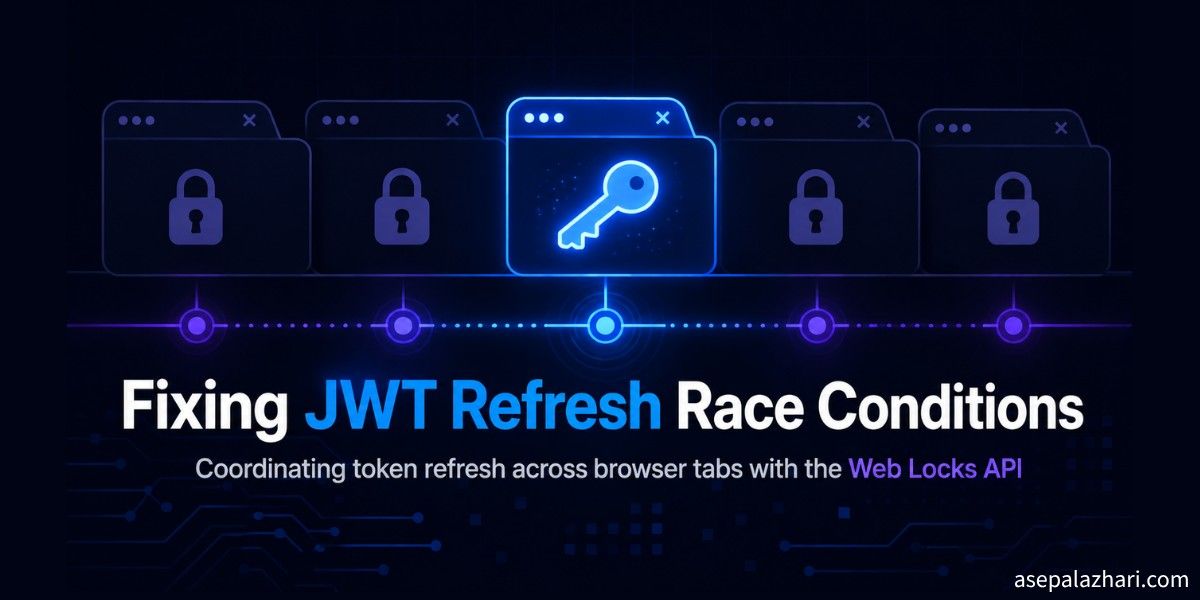
Fixing JWT Refresh Race Conditions Across Browser Tabs
Multiple tabs refreshing the same JWT at once cause duplicate calls and random logouts. Here is how the Web Locks API and a few guards fix it for good.
I once had a support ticket that made no sense. A user said the app logged them out randomly, but only when they had it open in two tabs at once. One tab alone, never a problem. Two tabs, and every few minutes something would silently kick them back to the login screen. I could not reproduce it in a single tab no matter how long I waited.
The moment I opened the app in two tabs side by side and watched the network panel, it clicked. Both tabs noticed the access token was about to expire at almost the same second. Both fired a refresh request. One of them won and got a new token. The other one, still holding the old token in memory, tried to use it a moment later, got rejected, and treated that rejection as a real auth failure. The user got logged out by their own second tab.
Key Takeaways
- Multiple open tabs of the same app independently detect token expiry and can all try to refresh at once, causing duplicate refresh calls and false logouts.
- The Web Locks API, available through
navigator.locks, lets only one tab actually perform the refresh while the others wait, and it is tab-crash-safe by design. - Always re-read the token from storage after acquiring the lock, since another tab may have already refreshed it while you were waiting.
- Add an in-tab concurrency guard so an interval timer and a visibility change event do not each trigger their own refresh in the same tab.
- A short delay before the first authenticated call after login helps when the session store on the backend writes asynchronously.
What Causes JWT Refresh Race Conditions Across Tabs?
A JWT refresh race condition happens when two or more browser tabs of the same app detect an expiring or expired access token at nearly the same time and each independently start a refresh request. Browser tabs share the same origin and often the same storage, but they run in separate JavaScript execution contexts with no built-in coordination between them.
Each tab typically has its own timer or its own request interceptor watching for a 401 response. When the token’s expiry window arrives, several tabs can cross that line within milliseconds of each other. Nothing stops two tabs from both deciding, independently, that now is the moment to call the refresh endpoint.
Why Does This Only Show Up With Multiple Tabs Open?
It only shows up with multiple tabs because a single tab has no competing timer to race against. Bugs like this are notoriously hard to catch in normal QA, since most manual testing happens in one tab, and automated end to end tests almost never open the same session twice on purpose.
The failure pattern is also inconsistent by nature. Sometimes both refresh calls succeed and one token simply gets overwritten by the other, silently invalidating whichever tab holds the older value in memory. Sometimes the second refresh call gets rejected outright because the server already rotated the refresh token during the first call. Either way, the user experience is the same: a tab that looks broken for no visible reason.
How Do You Stop Multiple Tabs From Refreshing at the Same Time?
You stop it by using the Web Locks API so only one tab performs the actual refresh while every other tab waits for that work to finish. The Web Locks API is a browser API, exposed as navigator.locks, that lets scripts running in different tabs, windows, or workers of the same origin coordinate access to a shared resource by name.
async function refreshAccessToken() {
    return navigator.locks.request("auth-token-refresh", async () => {
        const currentToken = readStoredToken();

        if (!isExpiringSoon(currentToken)) {
            return currentToken;
        }

        const response = await fetch("/api/auth/refresh", {
            method: "POST",
            credentials: "include",
        });

        if (!response.ok) {
            throw new Error("Token refresh failed");
        }

        const { accessToken } = await response.json();
        storeToken(accessToken);
        return accessToken;
    });
}
The important line is the one that re-reads the token right after the lock is acquired and checks if it is still expiring soon. If a second tab requested the same lock while the first tab was already refreshing, it will get the lock only after the first tab finishes, and by then the token in storage is already fresh. That check turns a queued duplicate refresh into a cheap no-op instead of a second real network call.
What About Tabs That Crash Mid-Refresh?
This is where the Web Locks API earns its place over a hand-rolled solution. A common pre-Web-Locks pattern is a mutex flag written to localStorage, where a tab sets a flag before refreshing and clears it after. That approach breaks the moment a tab crashes, gets force-closed, or loses power while the flag is still set, because nothing else will ever clear it. Every other tab then waits forever for a lock that will never be released.
navigator.locks does not have that failure mode. The lock is tied to the execution context that requested it, so if the tab holding the lock closes or crashes, the browser releases the lock automatically and the next waiting tab picks up immediately. As of 2026, navigator.locks is supported in Chrome and other Chromium-based browsers. If your audience includes browsers without support, keep a feature check and fall back to a simpler single-tab refresh strategy rather than assuming the API is universally available.
How Do You Handle Overlapping Refresh Triggers in the Same Tab?
You handle it with an in-tab concurrency guard that collapses every refresh trigger into a single in-flight request. Cross-tab locking solves the problem between tabs, but a single tab can still trigger a refresh from more than one place, for example an interval timer and a visibility change listener firing within the same second when the user switches back to the tab.
let refreshInFlight = null;

function requestTokenRefresh() {
    if (!refreshInFlight) {
        refreshInFlight = refreshAccessToken().finally(() => {
            refreshInFlight = null;
        });
    }

    return refreshInFlight;
}

document.addEventListener("visibilitychange", () => {
    if (document.visibilityState === "visible") {
        requestTokenRefresh();
    }
});

setInterval(requestTokenRefresh, TOKEN_CHECK_INTERVAL_MS);
Any caller that triggers a refresh, whether it is the interval, the visibility listener, or a failed API call, gets back the same in-flight promise instead of starting a second one. Combined with the cross-tab lock, this means a refresh only ever happens once per tab and once across all tabs at a time.
What Else Do You Need Besides Locking?
You also need a retry path that reads a genuinely fresh token instead of reusing a stale one, and a consolidated policy for deciding what an auth failure actually means. A request that fails with a 401 should not assume the session is dead. It should trigger a coordinated refresh through the same locked function, then retry once with whatever token comes back from that refresh.
async function apiRequest(path, options = {}) {
    let token = readStoredToken();
    let response = await fetch(path, withAuthHeader(options, token));

    if (response.status === 401) {
        token = await requestTokenRefresh();
        response = await fetch(path, withAuthHeader(options, token));
    }

    return response;
}
Notice that the retry calls readStoredToken again indirectly through requestTokenRefresh, rather than reusing the token captured when the original request was built. That distinction matters more than it looks. If the original request was constructed thirty seconds before it actually fired, due to a queued request or a slow network, the token it captured could already be stale by the time the retry happens, and retrying with a token you already know is old just produces another 401.
One more edge case worth handling explicitly: right after login, some backends write the session to a fast store, such as an in-memory cache, asynchronously. If your very first authenticated call fires before that write lands, you get a false 401 on a token that is actually valid. A short delay before that first post-login call, on the order of a few hundred milliseconds, is a cheap way to absorb that lag without adding complexity to the retry logic itself.
Naive Multi-Tab Auth vs Coordinated Refresh
| Aspect | Naive approach | Coordinated approach |
|---|---|---|
| Refresh trigger | Every tab refreshes independently | Only the tab holding the lock refreshes |
| Crash safety | localStorage mutex flag can get stuck forever | navigator.locks releases automatically if the tab closes |
| Retry token source | Token captured when the request was built | Fresh token read after the coordinated refresh completes |
| In-tab duplicate triggers | Timer and visibility listener can both fire | Collapsed into one in-flight refresh promise |
| User impact of a race | Random false logouts, hard to reproduce | Silent no-op for the tab that lost the race |
This is not the first time reading the actual signal has mattered more than reacting harder. I ran into the same lesson from a different angle while handling 429 rate limits in bulk API requests, where the fix was reading response headers instead of retrying blindly.
Best Practices for Multi-Tab Token Refresh
- Wrap the actual refresh call in a
navigator.locks.request()block, keyed by a stable lock name shared across the whole app. - Re-check the token’s expiry immediately after acquiring the lock, before making any network call.
- Collapse same-tab triggers into a single in-flight promise so an interval and a visibility listener never both start a refresh.
- Retry a failed request with a freshly read token, not the token that was captured when the request was originally built.
- Add a short delay before the first authenticated call after login if your backend writes session state asynchronously.
- Feature-detect
navigator.locksand fall back to a simpler strategy for browsers that do not support it.
If you are also dealing with forms that sit downstream of an authenticated session, the validation side of that problem is a different beast worth its own read, covered in this guide to password validation in React with Chakra UI and React Hook Form.
Frequently Asked Questions
What causes a JWT refresh race condition across browser tabs?
It happens when two or more tabs of the same app independently detect that an access token is expiring and each start their own refresh request at nearly the same time, since tabs run in separate JavaScript contexts with no coordination by default.
Is navigator.locks supported in all browsers?
As of 2026, navigator.locks is supported in Chrome and other Chromium-based browsers. Check for "locks" in navigator before relying on it, and provide a fallback path for browsers without support.
Why is navigator.locks better than a localStorage flag for this?
A localStorage mutex flag can get stuck forever if the tab that set it crashes or closes before clearing it, blocking every other tab. A lock acquired through navigator.locks is tied to the tab’s execution context and releases automatically if that tab closes or crashes.
Do I still need retry logic if I add locking?
Yes. Locking prevents duplicate refresh calls, but a request can still fail with a 401 before the token is refreshed. You need a retry path that requests a coordinated refresh and then retries once with the fresh token it returns.
Can this same pattern work for non-JWT session tokens?
Yes. The coordination problem is about any credential that expires and needs a synchronized refresh across tabs, not specifically about JWTs. The same lock-and-retry pattern applies to opaque session tokens, API keys with short TTLs, or any client that shares stored credentials across tabs.
Conclusion
The bug that started this was never really about tokens expiring. Tokens are supposed to expire. The actual bug was that nothing coordinated what happened the moment two tabs noticed the expiry at the same time. navigator.locks gives you that coordination for free, and it is safer than anything you would hand-roll with localStorage, because it cannot get stuck if a tab dies mid-refresh.
If your app supports multiple open tabs, which almost every app does whether it plans to or not, treat token refresh as a shared resource from day one instead of debugging the random logout ticket six months later.
![Handling 429 Rate Limits in Bulk API Requests [2026]](https://cdn.asepalazhari.com/images/articles/development/bulk-api-429-rate-limit-retry-adaptive-pacing.jpeg)