
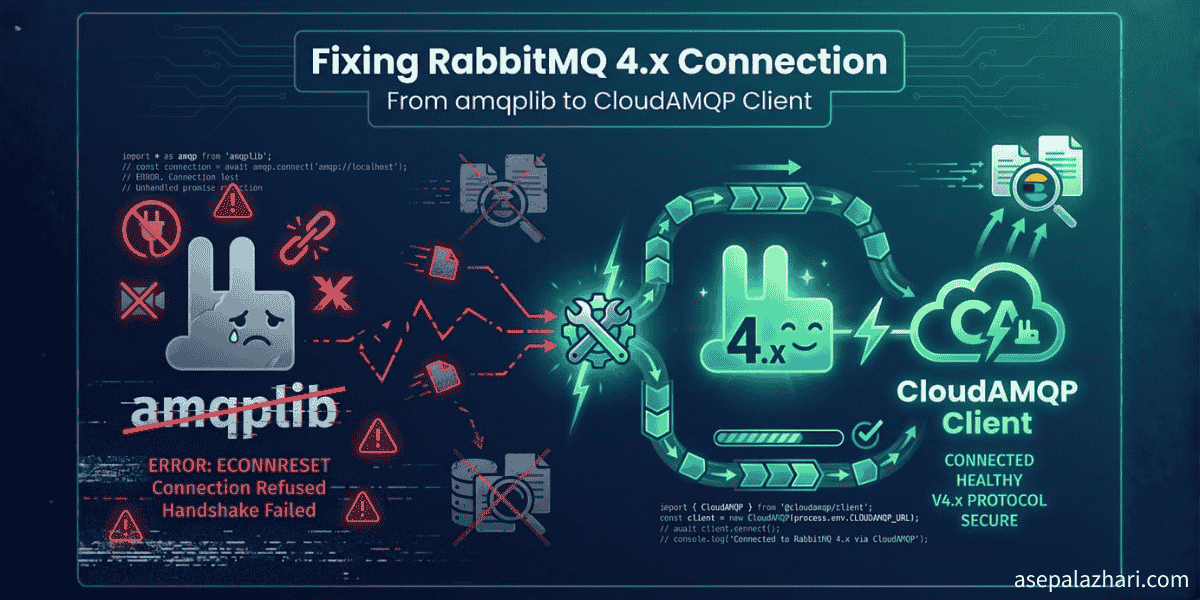
Fixing RabbitMQ 4.x Connection: amqplib to CloudAMQP
Solved Socket closed abruptly error when connecting to RabbitMQ 4.1.4. Learn why amqplib fails and how to migrate to CloudAMQP client for seamless integration.
When Your Message Queue Goes Silent
Picture this. It is 3 AM and your monitoring dashboard lights up like a Christmas tree. Your log worker has stopped consuming messages. Ten thousand logs are piling up in the queue. Your RabbitMQ connection keeps throwing the same cryptic error. Socket closed abruptly during opening handshake.
I have been there. Last week I upgraded our CloudAMQP instance and everything broke. The credentials were correct. The URL was perfect. Network connectivity passed all tests. Yet the worker refused to connect. After hours of debugging API calls, SSL certificates, and authentication mechanisms, I discovered the real culprit. RabbitMQ 4.x had introduced breaking changes that made the popular amqplib library completely incompatible.
This article walks you through the exact problem I faced and the solution that got our message queue back online. If you are struggling with RabbitMQ 4.x connection issues, this guide will save you hours of frustration.
Understanding the RabbitMQ 4.x Breaking Changes
RabbitMQ 4.0 was released in 2024 with significant protocol improvements. The new version changed how authentication handshakes work, modified default frame size limits, and updated the AMQP 0-9-1 protocol implementation. These changes were necessary for better performance and security, but they came at a cost. Legacy clients like amqplib could no longer negotiate the connection properly.
The error message is deceptively simple. Socket closed abruptly during opening handshake. It tells you nothing about the real problem. Is it SSL? Is it authentication? Is it network firewall? None of the above. The server actively rejects the connection because the client speaks an outdated dialect of AMQP.
When you see this error with RabbitMQ 4.x, the first thing to check is your client library version. Even the latest amqplib 0.10.4 has not been updated to handle RabbitMQ 4.x protocol changes. This is not a bug in amqplib. It is an architectural limitation that requires a complete rewrite.
Diagnosing the Connection Problem
Before jumping to solutions, proper diagnosis saves time. Here is how I systematically identified the issue.
First, verify your RabbitMQ version. Use the CloudAMQP API or RabbitMQ management interface to check. If you see version 4.0 or higher, you have confirmed the root cause.
curl -s -u "username:password" \
  https://your-instance.rmq.cloudamqp.com/api/overview | \
  jq '.rabbitmq_version'
Second, test network connectivity. The server should accept TCP connections even if the AMQP handshake fails.
curl -v telnet://your-instance.rmq.cloudamqp.com:5672If you see Connected followed by Connection reset by peer after a few seconds, the network is fine. The problem is protocol negotiation.
Third, verify credentials through the RabbitMQ management API. This confirms authentication works outside the AMQP connection.
curl -u "username:password" \
  https://your-instance.rmq.cloudamqp.com/api/vhosts
If this returns your vhost details, credentials are correct. The issue is definitely the client library.
Similar to how GitLab CI/CD requires proper variable management across environments, RabbitMQ connections need the right client library for each server version. Environment compatibility matters as much as configuration.
Migrating from amqplib to CloudAMQP Client
The solution is straightforward. Replace amqplib with the official CloudAMQP client library. This library is specifically designed to work with modern RabbitMQ versions including 4.x.
Step 1: Install the CloudAMQP Client
Remove the old library and install the new one.
npm uninstall amqplib @types/amqplib
npm install @cloudamqp/amqp-client
Step 2: Update Your Import Statements
Change your import from amqplib to the CloudAMQP client.
// Old amqplib approach
import amqp from "amqplib";

// New CloudAMQP client
import { AMQPClient } from "@cloudamqp/amqp-client";
Step 3: Rewrite Connection Logic
The API is different but cleaner. Here is a side by side comparison.
Old amqplib code:
const connection = await amqp.connect(process.env.CLOUDAMQP_URL);
const channel = await connection.createChannel();
await channel.assertQueue("my-queue", { durable: true });
channel.prefetch(1);

channel.consume(
    "my-queue",
    async (msg) => {
        if (msg !== null) {
            const data = JSON.parse(msg.content.toString());
            await processMessage(data);
            channel.ack(msg);
        }
    },
    { noAck: false }
);
New CloudAMQP client code:
const amqp = new AMQPClient(process.env.CLOUDAMQP_URL);
const connection = await amqp.connect();
const channel = await connection.channel();

await channel.queue("my-queue", { durable: true });
await channel.prefetch(1);

await channel.basicConsume("my-queue", { noAck: false }, async (msg) => {
    const data = JSON.parse(msg.bodyString() || "{}");
    await processMessage(data);
    await channel.basicAck(msg.deliveryTag);
});
Key differences to note. The queue method replaces assertQueue. The consume method becomes basicConsume. Message content is accessed via bodyString instead of content.toString. Acknowledgment uses basicAck with deliveryTag.
Step 4: Add Proper Error Handling
Production code needs robust error handling. Here is the complete consumer with proper error management.
const consumeLogs = async () => {
    try {
        console.log("Connecting to RabbitMQ...");

        if (!process.env.CLOUDAMQP_URL) {
            throw new Error("CLOUDAMQP_URL not set");
        }

        const amqp = new AMQPClient(process.env.CLOUDAMQP_URL);
        const connection = await amqp.connect();
        console.log("Connected successfully");

        const channel = await connection.channel();
        const queueName = "log-queue";

        await channel.queue(queueName, { durable: true });
        await channel.prefetch(1);

        console.log("Waiting for messages in", queueName);

        await channel.basicConsume(queueName, { noAck: false }, async (msg) => {
            const logMessage = JSON.parse(msg.bodyString() || "{}");
            await processLog(logMessage);
            await channel.basicAck(msg.deliveryTag);
            console.log("Processed:", logMessage.timestamp);
        });
    } catch (error) {
        console.error("RabbitMQ error:", error);
        if (error instanceof Error) {
            console.error("Error details:", error.message);
            console.error("Stack trace:", error.stack);
        }
        process.exit(1);
    }
};
This pattern ensures connection errors are caught, logged with full context, and the process exits cleanly rather than hanging.
Solving the Elasticsearch Authentication Issue
While migrating RabbitMQ, I discovered another silent failure. Messages were being consumed but not indexed to Elasticsearch. The error was buried in the logs. TypeError undefined is not an object evaluating response.headers.
The Elasticsearch client was configured without authentication. CloudAMQP worked because the URL embedded credentials. Elasticsearch required explicit auth configuration.
// Missing authentication
const client = new Client({
    node: process.env.ELASTICSEARCH_URL,
    tls: { rejectUnauthorized: false },
});

// Fixed with auth
const client = new Client({
    node: process.env.ELASTICSEARCH_URL,
    auth: {
        username: process.env.ELASTICSEARCH_USERNAME,
        password: process.env.ELASTICSEARCH_PASSWORD,
    },
    tls: { rejectUnauthorized: false },
});
Always test your integrations separately. A working RabbitMQ connection does not guarantee Elasticsearch indexing works. Validate each component independently.
Fixing TypeScript Build Errors in CI/CD
After solving runtime issues, the CI/CD pipeline failed with TypeScript errors. Cannot find name process. Do you need to install type definitions for node?
The fix is simple but often overlooked. TypeScript needs Node.js type definitions to recognize global variables like process, console, and Buffer.
npm install --save-dev @types/nodeThis is especially important in Docker builds where dependencies are installed fresh. Local development works because @types/node might be installed globally or in another project. CI/CD has no such luck.
Just like proper Docker tagging practices in GitLab CI/CD ensure traceability, proper type definitions ensure your TypeScript compilation succeeds consistently across environments.
Your package.json should look like this:
{
    "dependencies": {
        "@cloudamqp/amqp-client": "^3.4.1",
        "@elastic/elasticsearch": "^8.15.0",
        "dayjs": "^1.11.13",
        "dotenv": "^16.4.5"
    },
    "devDependencies": {
        "@types/node": "^25.0.3",
        "typescript": "^5.5.4"
    }
}
Testing the Complete Solution
Before deploying, verify everything works end to end. Run your worker locally and monitor both RabbitMQ and Elasticsearch.
# Build TypeScript
npm run build

# Run the worker
node ./dist/worker.js
You should see connection logs followed by message processing.
Connecting to RabbitMQ...
Connected successfully
Channel created successfully
Waiting for messages in log-queue
Processed: 2025-12-18T07:21:20.143Z
Processed: 2025-12-18T07:21:23.894Z
Check your CloudAMQP dashboard to confirm messages are being consumed. Check Elasticsearch to verify documents are being indexed. Both systems should show activity.
If messages pile up in RabbitMQ but Elasticsearch remains empty, authentication is still broken. If RabbitMQ shows no activity, the connection failed. Logs tell you exactly where the problem is.
Production Deployment Checklist
When deploying to production, follow this checklist to avoid surprises.
Verify environment variables are set correctly. CLOUDAMQP_URL, ELASTICSEARCH_URL, ELASTICSEARCH_USERNAME, and ELASTICSEARCH_PASSWORD must all be configured.
Test the Docker build locally before pushing to CI/CD. This catches missing dependencies early.
docker build -t log-worker .
docker run --env-file .env log-worker
Monitor the first few minutes after deployment closely. Watch for connection errors, authentication failures, or message processing delays.
Set up health checks that verify both RabbitMQ connection and Elasticsearch indexing. A worker that connects but does not process is as bad as one that crashes.
Implement graceful shutdown to acknowledge in-flight messages before the process exits. This prevents message loss during deployments.
process.on("SIGTERM", async () => {
    console.log("Shutting down gracefully...");
    await channel.close();
    await connection.close();
    process.exit(0);
});
Key Takeaways
RabbitMQ 4.x introduced protocol changes that broke compatibility with amqplib. The solution is migrating to the CloudAMQP client library which fully supports modern RabbitMQ versions.
Always verify your infrastructure versions before troubleshooting connection issues. A version mismatch often masquerades as authentication or network problems.
Test integrations independently. RabbitMQ and Elasticsearch failures look similar but require different fixes. Isolate each component to identify the real culprit.
Include type definitions in your devDependencies. TypeScript needs @types/node to compile successfully in clean environments like Docker builds.
Monitor your message queue actively. Ten thousand backlogged messages indicate a problem long before your application crashes. Set up alerts on queue depth and consumer lag.
The migration from amqplib to CloudAMQP client took less than an hour once I identified the root cause. The hours spent debugging wrong assumptions taught me to check compatibility first and configuration second. When in doubt, verify your versions before diving into code.